Getting started
What Vivapse is
A rocket, its physics, and a program you write. Nothing in the simulator flies the vehicle for you.
Vivapse is a rocket and spaceflight simulator that runs in a browser. You assemble a launch vehicle, write the flight software that commands it, and watch the physics decide what happens. There is no autopilot underneath, no assist that quietly corrects a bad pitch programme, and no scoring curve that rounds a hard landing up to a soft one.
That constraint is the whole design. A simulator that helps you is teaching you about itself. One that refuses to help is teaching you about spaceflight.
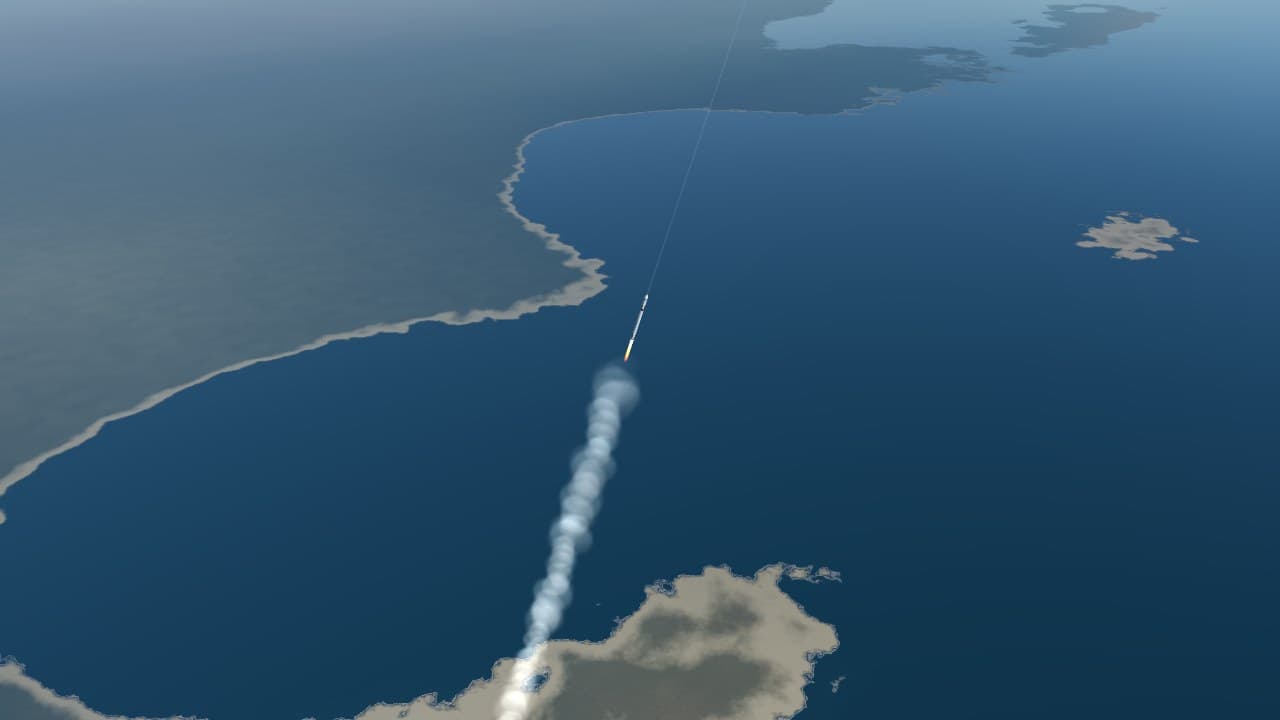
The loop
Every flight goes through the same four stages, and the rest of these docs are organised around them.
- Design the vehicle. Stages, engine groups, propellant and dry mass. The numbers you pick here set the budget for everything afterwards, and most flights are lost at this step rather than in the air.
- Write the flight program. Plain JavaScript. An
update(fc)function runs fifty times per simulated second, reads the vehicle's state, and commands throttle, steering and staging. - Fly. The simulator integrates six degrees of freedom against a real gravity field, a real atmosphere and the real weather over your launch site.
- Come back. Entry, then a landing burn that has to arrive at zero velocity and zero altitude simultaneously.
Everything is a velocity budget
Almost every decision in spaceflight reduces to one question: how much velocity change — delta-v — can this vehicle produce, and where is it being spent? A mission is feasible when the budget closes and infeasible when it does not, and no amount of good flying rescues a vehicle that was built short.
What a vehicle can produce comes from one equation, which the first course derives from scratch:
where is the speed the engine throws its exhaust and is the ratio of the vehicle's fuelled mass to its empty mass. The logarithm is the cruel part: doubling the propellant does not double the reach.
Figure · velocity budget, typical large launcher
- TOTAL
- 9.79 km/s
- LOST TO GRAVITY, STEERING AND DRAG
- 1.61 km/s
- USEFUL FRACTION
- 84%
The losses in grey are worth sitting with. Roughly a sixth of the velocity a vehicle produces on the way to orbit never becomes orbital speed at all: it is spent holding the rocket up against gravity while it climbs, pushing air out of the way, and steering. You cannot avoid them, but the pitch programme you write decides how large they get — which is the subject of the gravity turn.
What it is not
Vivapse is not a game with a physics layer. There is no progression, no parts to unlock, and no difficulty setting. It is also not a professional trajectory tool: it makes approximations, and the ones it makes are written down in fidelity and its limits rather than hidden.
The honest description is a laboratory. The instruments are real enough that what you learn on them transfers, and the failures are real enough to be worth something.
How it compares
If you have played Kerbal Space Program, most of the vocabulary here is already yours: stages, delta-v, the gravity turn, a burn at apoapsis. The difference is who flies. Kerbal Space Program and Spaceflight Simulator are games. You build from parts and fly by hand, on planets scaled down so that orbit costs a fraction of the real delta-v. Orbiter, the long-running free desktop simulator, keeps the real solar system and gives you a cockpit of instruments to fly it with.
Vivapse keeps the real scale and takes the stick away. The Earth is the real one, oblate and turning, with today's weather over the pad. The vehicle flies the program you wrote, the way a real launcher flies its flight software, so the skill it trains is the one in between: turning physics into code that holds up. The nearest thing in Kerbal Space Program is the kOS mod, which scripts a craft the same way. And there is nothing to install: it opens in a browser tab.
Who it is for
- Students of orbital mechanics and aerospace engineering who want to see an equation do something. The courses are written for them, each one against the simulator that runs it.
- Programmers who want a hard, honest problem: a control loop with real physics on the other side, and sensors that report what happened rather than what was meant.
- Players of the games above who want the real numbers: 9.4 km/s to reach orbit instead of Kerbin's 3.4, and a booster that has to come back and land.
Short answers
What does it cost?
The documentation and the courses are free. The playground is 15 or 20 for $25, for a school year — and students join with a class code, without an email address. Pricing has the details. Either way there is nothing to install.
What does it run on?
A recent browser with WebGL 2 — Chrome, Edge, Firefox or Safari — on a computer or a phone. On a narrow screen the playground folds into a drawer; the tour shows how.
What language are the flight programs in?
JavaScript. A program is an update(fc) function the simulator calls fifty
times per simulated second; the flight program
describes the contract and the reference lists everything on
fc.
Where is my work saved?
In your browser, as you go: the vehicle, the mission and your programs, with their history. Nothing is uploaded. A shared link or an exported file moves a flight to another browser — what is kept has the details.
How realistic is it?
Real enough to learn from, and honest about the rest. Gravity is WGS84 with J2, the planets come from the VSOP87 and ELP2000 series, and transfers are solved the way mission designers solve them. Three physics audits and 940 tests stand behind it, and every place the model departs from reality is written down in fidelity and its limits.
Can I fly to the Moon and Mars?
Yes, through real launch windows computed from where the bodies actually are. The reference programs fly lunar flybys and landings and Mars flybys from every launch site they were tested on; a Mars landing is still an open problem, and missions and destinations records exactly where it stands.
Where to go next
If you have not flown anything yet, your first flight gets a vehicle into a stable orbit with the smallest program that will do it. If you would rather understand the physics before touching the controls, the courses start from the rocket equation and assume nothing.